The brief
In 2018, Savers launched an Augmented Reality app to engage customers and drive Christmas sales by offering a discount incentive. Whilst the concept was strong, the app was glitchy and the user journey slow and tedious, resulting in very few social shares.
|
|
UX Review
Splash Screen / Loading Page
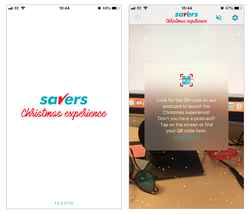
The Splash screen could be more engaging – giving an insight to what the app does, some snow, or Christmas characters.
Not all users will have a QR code to scan, they may have downloaded the App straight from the App store. I would minimise this to reduce users bouncing or exiting at this point if they find this step confusing.
What is the journey if the user does have a postcard/QR? Is there any benefit?
The Splash screen could be more engaging – giving an insight to what the app does, some snow, or Christmas characters.
Not all users will have a QR code to scan, they may have downloaded the App straight from the App store. I would minimise this to reduce users bouncing or exiting at this point if they find this step confusing.
What is the journey if the user does have a postcard/QR? Is there any benefit?
Augmented Reality
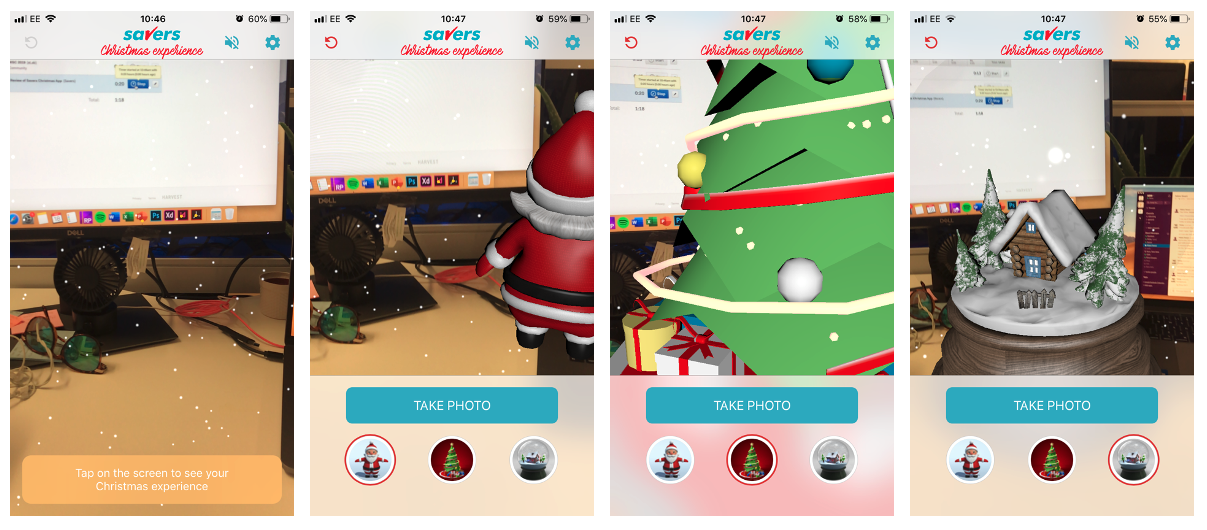
Next steps / instructions are not clear enough. What does “Christmas Experience” mean?
Suggestion: Make CTA bigger and clearer. The user needs to know how to interact with this feature and it is no obvious enough at this stage to Tap the screen.
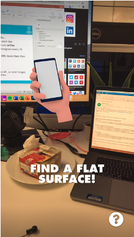
Add a demo image and clear CTA E.g. Deck The Halls app (see screenshot)
Next steps / instructions are not clear enough. What does “Christmas Experience” mean?
Suggestion: Make CTA bigger and clearer. The user needs to know how to interact with this feature and it is no obvious enough at this stage to Tap the screen.
Add a demo image and clear CTA E.g. Deck The Halls app (see screenshot)
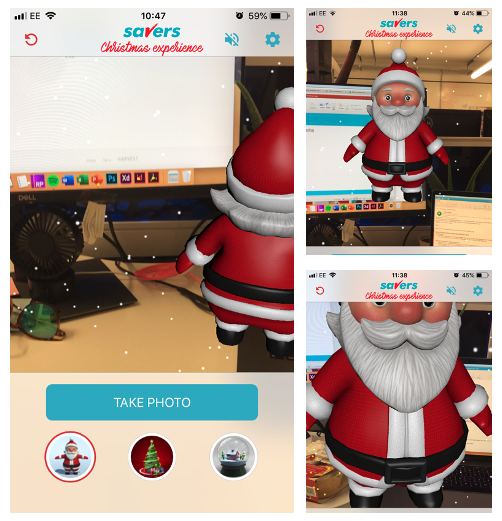
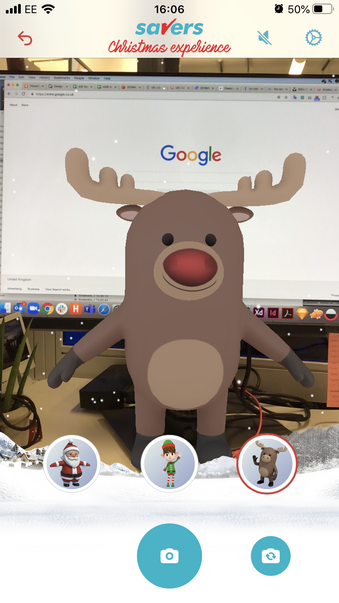
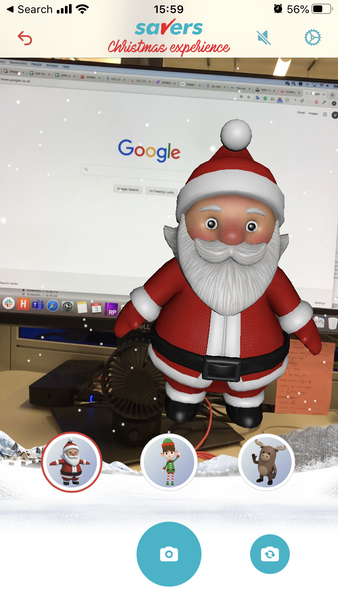
- Sometimes Santa is looking at Camera, sometime rotated so you can only see his back. Even if the user has tapped the surface, he floats in mid air – would be better if he stuck to a surface
Suggestions:
Make it possible for the user to scale and rotate the Santa
Make figure stand on desk/surface
Make Santa more modern looking - blinking, moving etc
Make it clear how to re-position him on the screen
Add ‘Capture’ icon next to Take Photo to make this CTA more obvious
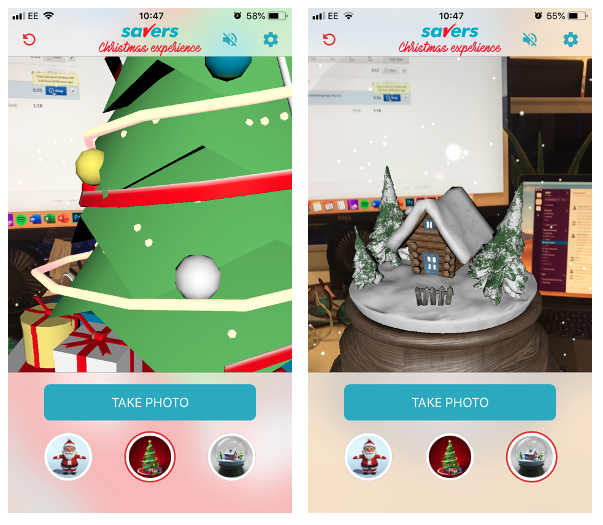
Suggestions:
Update Christmas tree to look more realistic and less flat.
Update Snow Globe to look more realistic.
Add a more relevant figure – e.g. a stocking full of presents – relevant to gifting. Gingerbread man etc
Make snow globe empty so user can position a friend/object within the snow globe
“Shake” phone to ’make it snow’
Update Christmas tree to look more realistic and less flat.
Update Snow Globe to look more realistic.
Add a more relevant figure – e.g. a stocking full of presents – relevant to gifting. Gingerbread man etc
Make snow globe empty so user can position a friend/object within the snow globe
“Shake” phone to ’make it snow’
Filters and Overlays
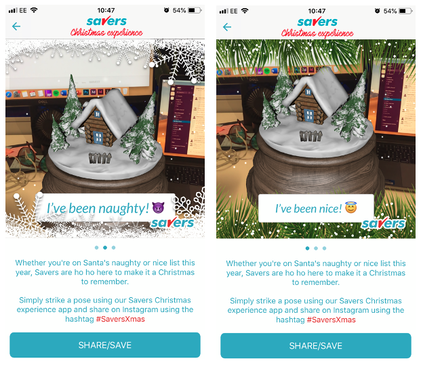
Users can swipe through the different options which apply layovers on their chosen image. I don't think the tag lines are particularly relevant to the images or to the brand... I would suggest updating the “I’ve been Nice/Naughty” to something relevant to the figure chosen. E.g. Santa = "Ho Ho Ho"
I would also suggest adding a more simple border option as these are quite busy and detract from the image.
There is a lot of small text below. I would reduce this copy and keep only the most important or relevant points.
Users can swipe through the different options which apply layovers on their chosen image. I don't think the tag lines are particularly relevant to the images or to the brand... I would suggest updating the “I’ve been Nice/Naughty” to something relevant to the figure chosen. E.g. Santa = "Ho Ho Ho"
I would also suggest adding a more simple border option as these are quite busy and detract from the image.
There is a lot of small text below. I would reduce this copy and keep only the most important or relevant points.
Social Sharing
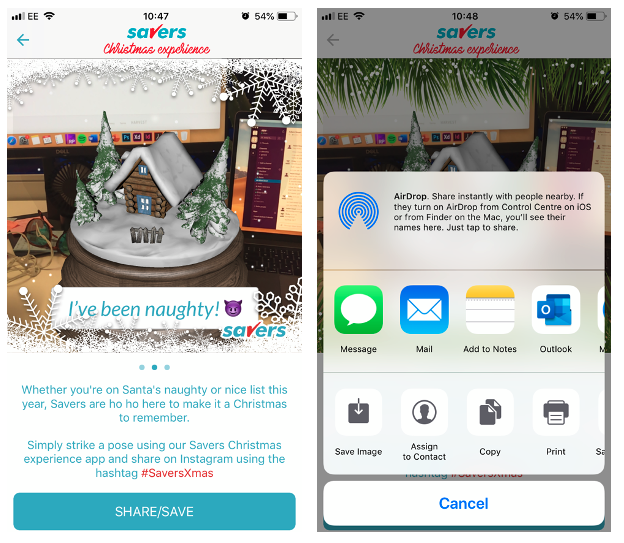
The current Share/Save button just brings up the standard phone sharing options, most of which are irrelevant. To optimise Social Sharing, I would suggest adding icons for each sharing platform instead to increase conversion and reduce clicks.
Savers should also consider: Who is the target market? Which social platforms are they most engaged with?
Add incentive to post on social media – e.g. discount on next purchase
The current Share/Save button just brings up the standard phone sharing options, most of which are irrelevant. To optimise Social Sharing, I would suggest adding icons for each sharing platform instead to increase conversion and reduce clicks.
Savers should also consider: Who is the target market? Which social platforms are they most engaged with?
Add incentive to post on social media – e.g. discount on next purchase

What performs best? Selfies or People-less Photos...?
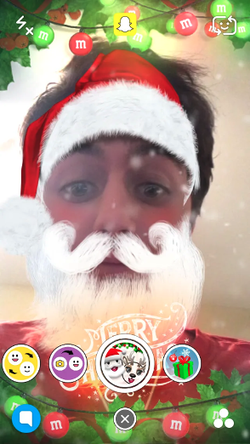
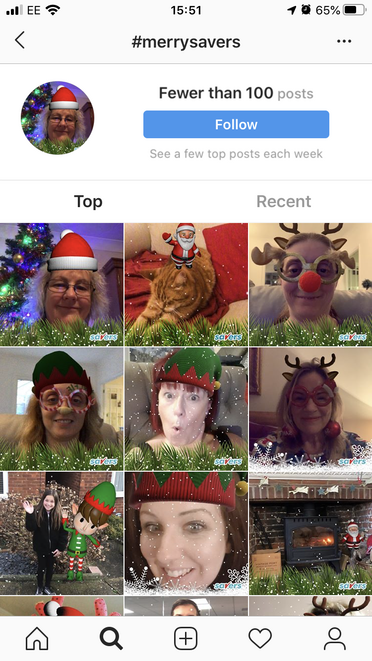
I'm not convinced that the Savers Augmented reality app complete with Christmas Characters is the best way to increase sharing on social platforms. I decided to do some research on what customers share most on social media.
Findings:
74% of images shared on Snapchat are selfies!
There are 1000 selfies posted to Instagram every 10 seconds
In fact, photos showing faces get 38% more likes than photos without faces…
Suggestions
Given that customer share more photos of themselves, and also get more likes for these photos, we should consider why apps like Snapchat and Instagram are so popular! Savers should consider a Selfie filter rather than AR, as most images posted on social platforms are selfies. This should drive the number of social shares and engagement.
Findings:
- User’s like taking photos of themselves!
74% of images shared on Snapchat are selfies!
There are 1000 selfies posted to Instagram every 10 seconds
In fact, photos showing faces get 38% more likes than photos without faces…
Suggestions
Given that customer share more photos of themselves, and also get more likes for these photos, we should consider why apps like Snapchat and Instagram are so popular! Savers should consider a Selfie filter rather than AR, as most images posted on social platforms are selfies. This should drive the number of social shares and engagement.
The Update... 2.0.1 release
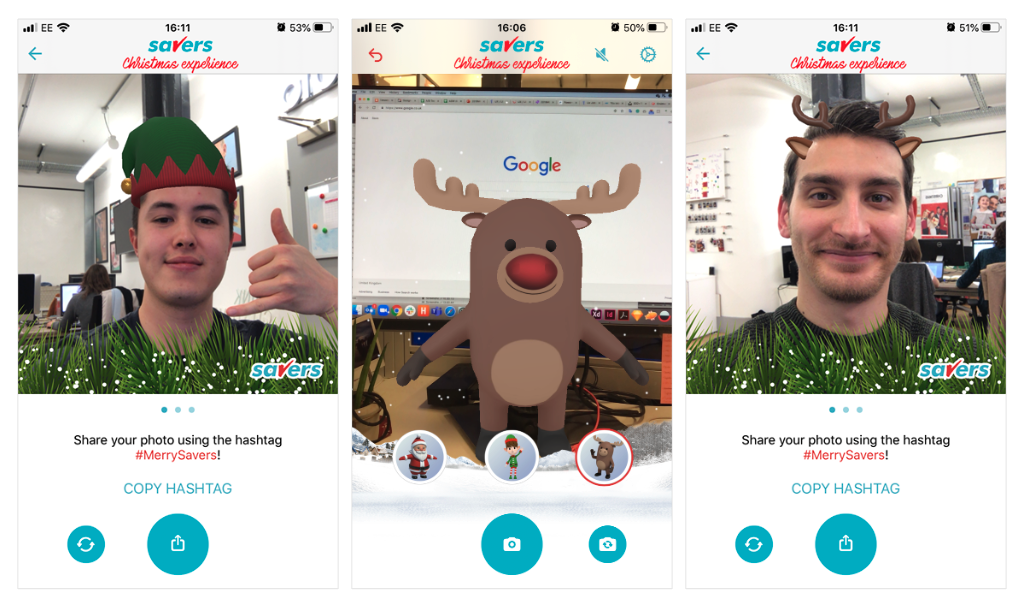
The new 2.0.1 app released in November 2019... with an improved customer journey and new selfie mode!
The Results
From monitoring the results of the app, it seemed our improvements had a fantastic effect!
The number of users compared to 2018 increased by +27%, and the number of users increased by +40%! Photos from the app also had over 250 shares on Social Media over Christmas!
The number of users compared to 2018 increased by +27%, and the number of users increased by +40%! Photos from the app also had over 250 shares on Social Media over Christmas!